
Shared calculation
The saved implementation made the list use the same readiness-gated Actual Input measure as the KPI.
Evidence boundary: October 1 saved model/report; current source-system freshness was not exercised.

Anonymized founder implementation
A Power BI reporting correction that aligned a production-order list with its headline measure and made missing unit conversions visible.
Deer Lake & Metrotown · Burnaby
The problem
A detail list and its headline KPI could disagree because they used different calculation paths. Mixed units added a second risk: a quantity could look complete even when a reliable conversion factor was missing.
The implementation
Connected the list’s Actual Input value to the same readiness-gated measure used by the KPI. The detail and headline now used the same definition in the saved correction.
Kept Actual Input blank and surfaced REVIEW when an eligible line had no clear gram conversion. Missing conversion evidence was not replaced with an assumed factor.
Compared the list value with the KPI measure across the recorded order population, then checked selected reader states after saving the report.
Updated the report guidance so the reader could understand eligible input lines, conversion requirements and the reason an order required review.
Inside the implementation
The defect was in the calculation path. The saved correction tied the detail list to the same readiness decision as the headline measure.
The list had its own Actual Input calculation. It could return a quantity without applying the KPI’s missing-conversion gate. An attractive total could therefore disagree with the detail used to explain it.
The list delegates to the readiness-gated KPI measure. Where conversion evidence is unresolved, Actual Input remains blank and the reader sees REVIEW. An unknown factor is an exception to investigate, rather than a number to estimate.
The implementation log records a semantic-model reload, report save confirmation and selected reader checks after saving. Those checks distinguish an edited formula from a correction retained in the saved model and report.
The saved DAX check compared the list’s input with the KPI across the complete available snapshot and checked that unresolved REVIEW records did not show a list input. Agreement in that snapshot does not establish freshness of the upstream ERP or every future export.
Recorded acceptance checks
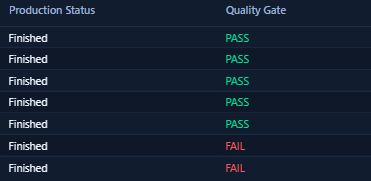
Recorded October 1, 2026. The source is the saved implementation and validation log, with a genuine status-only interface excerpt below.
The saved implementation made the list use the same readiness-gated Actual Input measure as the KPI.
Evidence boundary: October 1 saved model/report; current source-system freshness was not exercised.
The recorded full-population DAX comparison found zero list/KPI Actual Input differences.
Evidence boundary: The dated saved snapshot, with private order volumes and identifiers withheld.
The recorded check found no REVIEW record with a nonblank list input. A selected missing-conversion reader state also stayed blank.
Evidence boundary: The observed review behavior; no invented conversion factors or universal quality claim.
A model reload, report save confirmation and valid/review reader checks were recorded after the correction.
Evidence boundary: Saved-state evidence; all exports and later report changes require their own checks.
Reader walkthrough
A dashboard review is easier to scope when the business decision, row grain, unit rules and reconciliation test are explicit before the visuals change.
These are scoping prompts for a similar project, not a diagnosis of your systems or a promised result.
Agree what one row represents, which records belong in the population and what decision the headline number should support.
Use a verified item factor or source-system unit conversion. If neither exists, keep the quantity unresolved and visible for review instead of guessing.
Feed both the detail list and headline KPI from the same readiness-checked definition so the number shown on each view has one meaning.
Compare the complete available population, check representative valid and review states, and keep refresh, exports and later source changes within a separately stated verification boundary.
Scope and evidence
This documents a saved calculation correction and its October 1 validation snapshot. It does not establish a new ERP posting, end-to-end source freshness, every report or export state, or an error-free production environment. Later report issues remain separate from this correction.
Founder implementation experience; no consultancy-client relationship, testimonial, savings or revenue outcome is implied.
Apply the lesson
If a dashboard total and its detail disagree, begin with the calculation paths and unit definitions. A clearer visual layout becomes useful after those numbers reconcile.

A practical place to start
Burnaby Mountain viewpoint